Case Study
xAPI / LRS Implementation
Building a learning-data foundation from scratch — capturing portal activity with xAPI, storing it in a Veracity LRS, and turning it into custom reporting dashboards that program owners could actually use.
The Challenge
The learning portals created a need for better visibility into learner activity and progress. I wanted a way to capture meaningful interactions, persist completion data, and turn that activity into useful reporting — which led me to learn xAPI and Learning Record Stores and explore how they could extend what the portals could do.
Learning About xAPI and the LRS
I learned how xAPI can capture learner activity outside the traditional LMS and how an LRS can store that activity for later analysis. I applied that to the learning portals, designing an approach where portal activity could be recorded, stored, and retrieved as needed.
I then implemented xAPI and a Veracity LRS as part of the portal architecture: Storyline provided the learner-facing experience, JavaScript extended functionality, xAPI captured activity, and the LRS was the central store for reporting.
Portal Progress Tracking
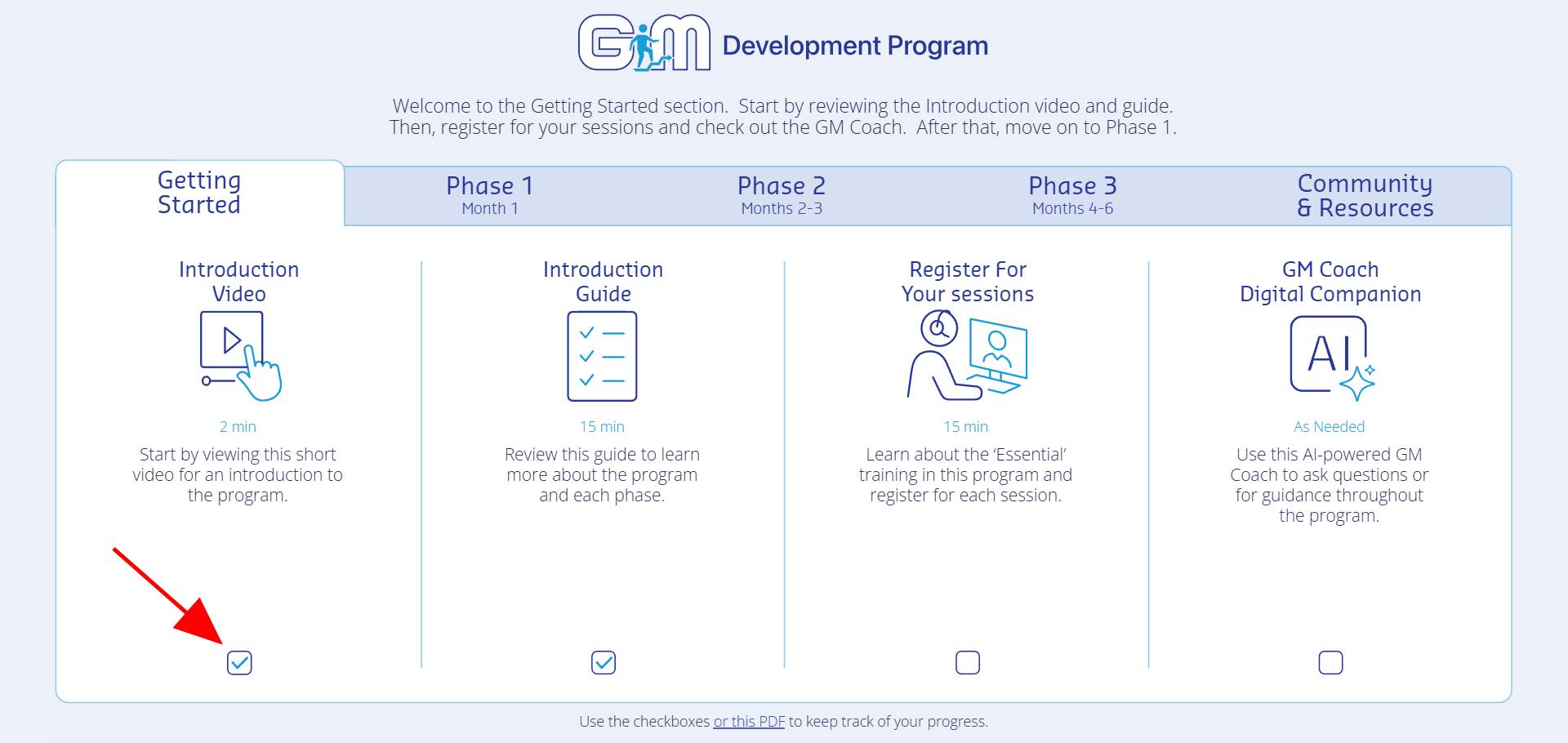
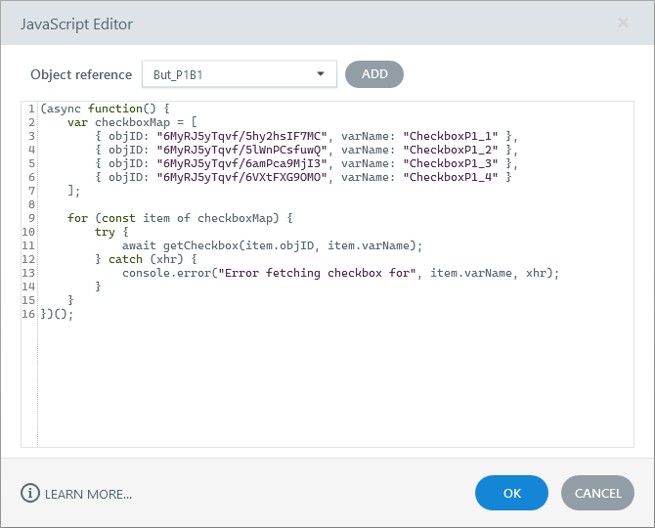
As my xAPI skills grew, I built custom progress-tracking functionality. Learners could see at a glance which activities they had completed using interactive checkboxes within the portal. Completion information was stored in the LRS and retrieved through JavaScript when a learner returned, so progress persisted across browser sessions. I leveraged AI-assisted coding to develop this functionality.
This allowed the portal to function as more than a collection of links — it became a centralized learning experience with built-in progress tracking.
Behind the Experience
Learner activity is captured through the portal, recorded through xAPI in the LRS, and retrieved by JavaScript so the Storyline experience can reflect persistent progress.
Reporting & Analytics
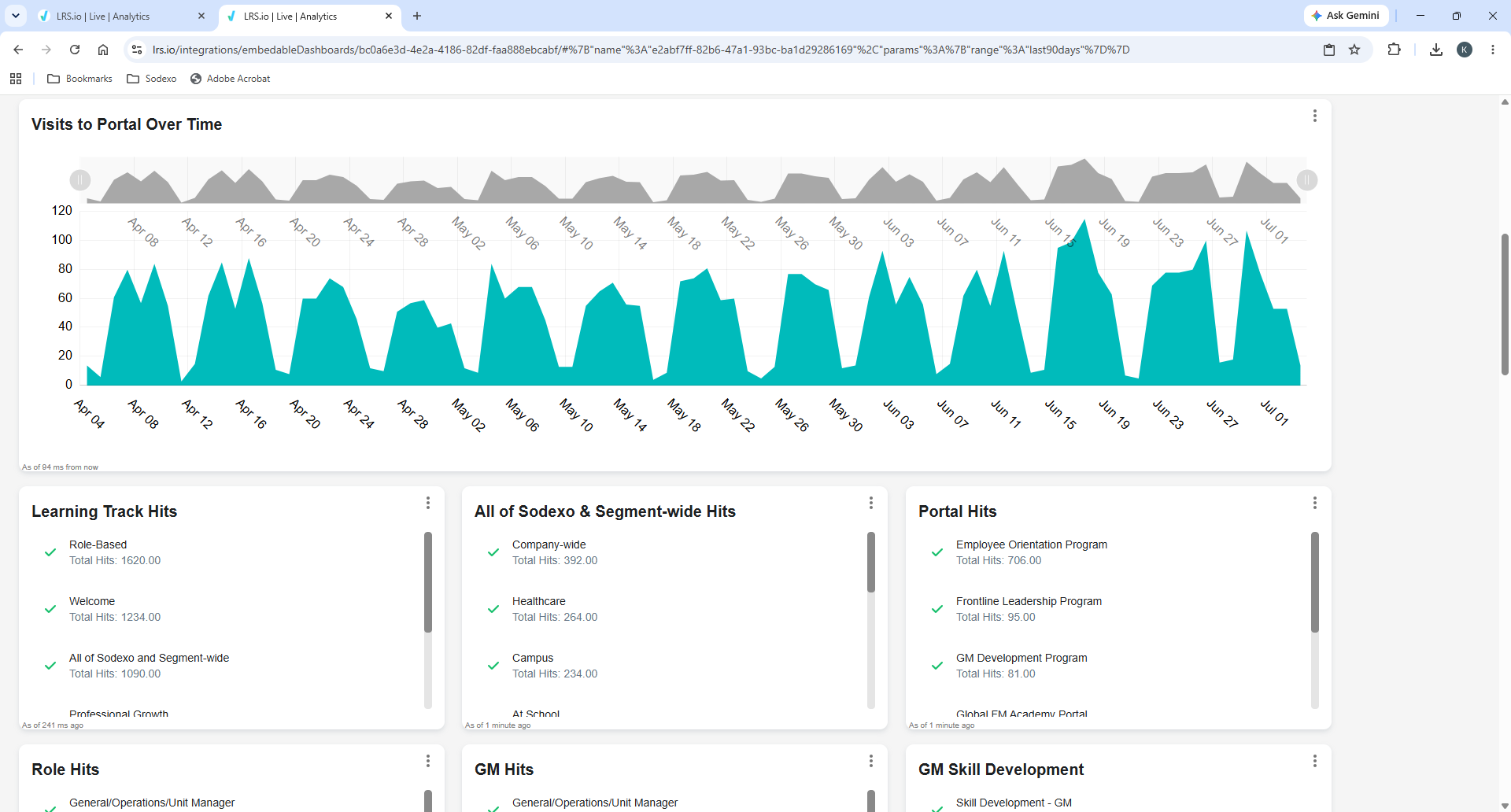
I created custom reporting dashboards in the LRS to make learner activity more visible and useful. The dashboards gave a way to review activity captured from the portals and analyze learner engagement and progress across the learning programs.
Implementation & Integration
xAPI
Captured learner activity from the portals and communicated it to the LRS as structured statements.
Learning Record Store (Veracity)
The central data store for learner activity, and the base for reporting and dashboard development.
Articulate Storyline
Delivered the learner-facing portal experience, working with xAPI, the LRS, and JavaScript for persistent progress.
JavaScript
Extended Storyline and retrieved learner completion data from the LRS to maintain progress between browser sessions.
Business Impact
- Established a repeatable xAPI and LRS approach for capturing and storing learner activity from custom learning portals.
- Created custom LRS reporting dashboards to analyze learner activity and program engagement.
- Implemented persistent learner progress tracking so completion status was retained across browser sessions.
- Extended Articulate Storyline’s capabilities by combining JavaScript, xAPI, and LRS technology.
What I Learned
Learning xAPI and LRS technology expanded my capabilities beyond traditional eLearning development and helped me think about learning experiences as connected systems rather than standalone courses. The work gave me hands-on experience implementing learning-data capture, persistence, and reporting inside a custom digital learning environment.